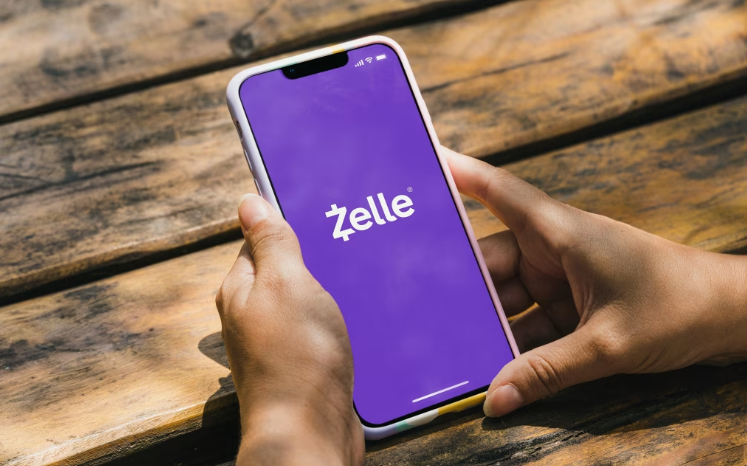
How to Get Zelle Transfers from a Legit Bank Log Shop
Do you want to quickly and easily send money with Zelle from a bank logs store? You came to the correct location! In this article, we’ll show you how to use bank logs shop to make quick Zelle transactions. Let’s get started! How to Get Zelle Transfers
Introduction
Bank logs shop is a platform where you can purchase bank account logs that has been obtained through various means. With this information, you can access the account and make transfers using popular services like Zelle. Zelle is a fast, safe, and easy way to send money directly between almost any U.S. accounts. How to Get Zelle Transfers
How to Make Instant Zelle Transfers from a Bank Logs Site?
- Purchase Bank Logs: The first step is to find a reliable bank logs shop that offers high-quality bank account information. Make sure to do your research and choose a reputable shop to ensure the authenticity of the logs.
- Access the Bank Logins: Once you have purchased the bank logins, use the information provided to access the bank log. This may involve logging into the online portal via strong VPN.
- Link Zelle Account: After gaining access to the bank account, you will need to link your Zelle account to the bank account. This is usually done through the settings or profile section of the Zelle app. If you find this method tedios you can just purchase an Instant Zelle Transfer
- Initiate Transfer: Once your Zelle account is linked to the bank log, you can now initiate a transfer. Enter the recipient’s information, including their email or phone number, and the amount you wish to send.
- Confirm Transfer: Before finalizing the transfer, make sure to double-check all the details to ensure accuracy. Please confirm the transfer once you have verified that all details are correct, to ensure the money is sent instantly.
- Receive Confirmation: After the transfer is successfully processed, you will receive a confirmation email or notification from Zelle. The recipient will also be notified of the incoming funds.
Frequently Asked Questions
- Can I make Zelle transfers witrh any bank log?
Yes, as long as the bank log is compatible with Zelle, you can make transfers from any account. - Are Zelle transfers secure?
Yes, Zelle transfers are secure and encrypted to protect your financial information. - How long does it take for a Zelle transfer to go through?
Most Zelle transfers are instant, but it can take up to 1-3 business days in some cases.
With these easy steps, you can make instant Zelle transfers from a bank logs shop in no time. Just remember to exercise caution and ensure the legitimacy of the bank logs shop you are purchasing from. Stay safe and happy transferring! How to Get Zelle Transfers
Zelle is a fast, convenient digital payment service that lets you send and receive money directly between U.S. bank accounts, typically in minutes. It’s free for most users (no fees from Zelle itself, though your bank might have rules), secure when used correctly, and integrated into the mobile apps or online banking of over 2,200 participating banks and credit unions. How to Get Zelle Transfers
“Getting Zelle transfers” usually means receiving money via Zelle (or setting up to both send and receive). Here’s a complete, practical guide based on how Zelle works as of 2026.
Step 1: Check If Your Bank or Credit Union Supports Zelle
- Most major U.S. banks (e.g., Bank of America, Chase/J.P. Morgan, Wells Fargo, U.S. Bank, PNC, Regions, Navy Federal, Huntington, Truist, Capital One) and thousands of smaller ones/credit unions offer Zelle directly in their app or online banking.
- Visit the official Zelle enrollment page to search for your institution: https://enroll.zellepay.com/
- If your bank participates, you’ll access Zelle through their mobile app or online banking (this is the primary and recommended way).
- A standalone Zelle app exists but has been phased down for most consumer use re-enroll via your bank’s app if needed.
Step 2: Enroll in Zelle (One-Time Setup)
Enrolment links your bank account to an email address or U.S. mobile number (or sometimes a Zelle tag for businesses).
- Open your bank’s mobile app or log in to online banking.
- Look for sections like:
- “Pay & Transfer”
- “Transfers”
- “Send Money with Zelle”
- “Zelle” or “Send & Request Money with Zelle”
- Select Get Started, Enroll, or Set Up Zelle.
- Agree to terms, then add/verify your U.S. mobile number and/or email address (you’ll get a verification code).
- Link it to an eligible checking or savings account.
- Once enrolled, you’re ready to receive (and send) money.
If someone sends you money before you’re enrolled:
- You’ll get a notification (email/text) with a link.
- Follow it, select your bank, and enroll to claim the funds (they deposit directly once set up). How to Get Zelle Transfers
Step 3: How to Receive Money with Zelle
Receiving is passive once enrolled—no extra action needed in most cases.
- Share your enrolled email address, U.S. mobile number, or Zelle tag (if applicable) with the sender.
- Ask them to send money via Zelle in their banking app.
- If they’re enrolled and use the correct info → Money arrives directly in your linked bank account, typically within minutes.
- You’ll usually get a notification from your bank.
- No need to “accept” if already enrolled—the transfer is automatic and irreversible (key safety note).
To request money (pull funds from someone):
- In your bank’s Zelle section, choose Request or Request Money.
- Select/add the person (via contacts, email, or phone).
- Enter amount and optional note → They get notified and can approve/decline.
Key Tips for Success and Safety
- Only share your info with people you trust — Zelle transfers are like cash: fast and usually irreversible. No buyer/seller protection for goods/services (unlike Venmo or PayPal in goods mode).
- Double-check recipient details before sending (scams are common—e.g., fake “overpayment” tricks or urgent requests).
- Limits vary by bank (daily/weekly sending caps); check yours.
- Transactions are between U.S. accounts only.
- If issues arise (e.g., wrong info), contact your bank directly—Zelle support routes through them.
- For the latest official details, visit https://www.zellepay.com/ or your bank’s Zelle FAQ section.
If your bank doesn’t offer Zelle or you run into setup issues, let me know your bank name for more tailored steps. Always verify info directly in your app, as interfaces can vary slightly!
Visit Dumpseller Shop Now to see our newly in store Carding products, Bank Transfer, Cashapp Transfer, Venmo Transfer, Dumps with pins, Bank logs, CC Linkables and many more.
Keep Making money.